使用dev-containers进行开发#
Dev Containers 是一种将 Docker 容器作为完整开发环境的技术方案,通过 .devcontainer/devcontainer.json 配置文件定义环境镜像、工具链、依赖和 VS Code 设置,实现跨设备、跨团队的一致性开发体验。
开始#
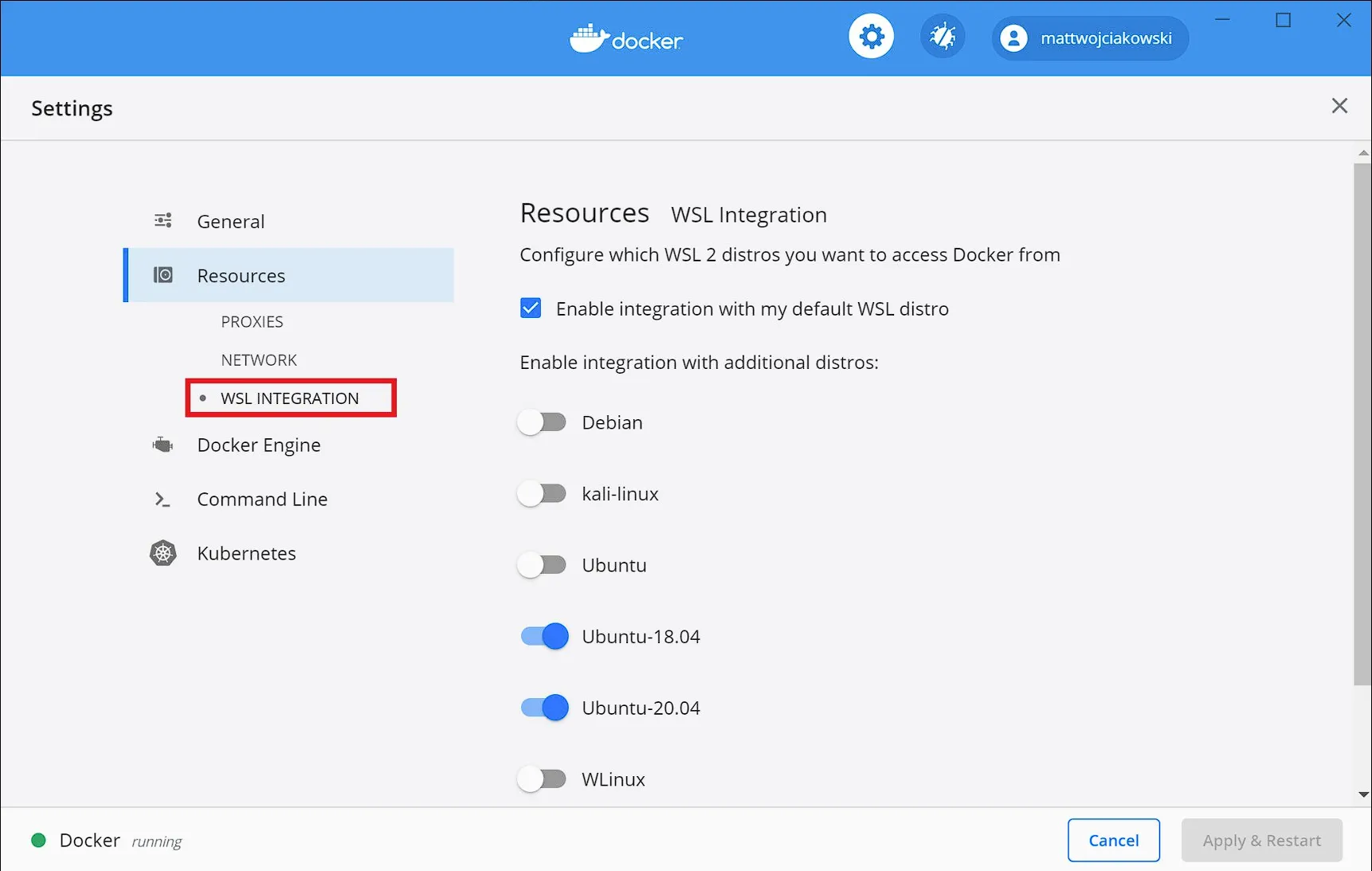
需要vscode安装Dev Containers 扩展。对于windows环境同时需要依赖于wsl环境,建议安装ubuntu,不建议使用安装时自动创建的docker-desktop,并且通过 Docker Desktop → Settings → Resources → WSL Integration 开启 WSL 集成
devcontainer.json#
最小配置#
只需要配置 image 字段即可,有很多模板可以从 这里 ↗ 找到
{
  "image": "ghcr.io/devcontainers/templates/cpp:4.0.0"
}完整配置可以参考 Dev Container metadata reference ↗
features#
features是容器层在基础模板之上添加额外的内容,例如 common-utils ↗,可以在基础模板之上配置zsh等。例如
{
    "image":  "ghcr.io/devcontainers/templates/cpp:4.0.0",
    "features": {
        "ghcr.io/devcontainers/features/common-utils:2": {
            "configureZshAsDefaultShell": ture
        }
    }
}这会为我们的容器配置zsh并设置为默认shell
更多feature可以参考 这里 ↗
进行开发#
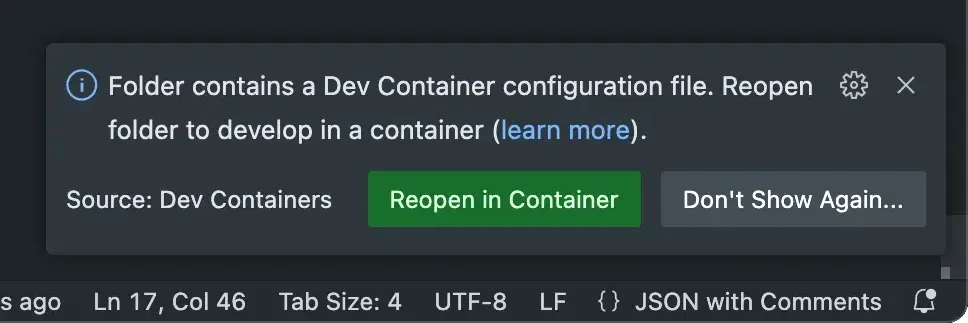
在wsl环境内,创建.devcontainer/devcontainer.json,使用code .即可在wsl中打开该文件夹。此时vscode右下角会提示 Reopen in Container
或者 Ctrl Shift + p 输入 Reopen in Container。等待拉取docker镜像。
不建议在windows环境中创建
.devcontainer/devcontainer.json,一是跨文件系统io性能较差;二是这样会默认使用docker desktop安装时创建的wsl,配置wslg ↗较为麻烦。